How to check color contrast (WCAG)
Test a text and background pair, fix a failing one, or check every pairing in a palette.
Open the contrast checkerEnter a text and a background color
Set Text color and Background with the swatches or HEX boxes. The big number is the contrast ratio, with the level it reaches: AAA, AA, AA large or Fail. The five boxes below it show each WCAG rule as Pass or Fail, in words, not only in color.
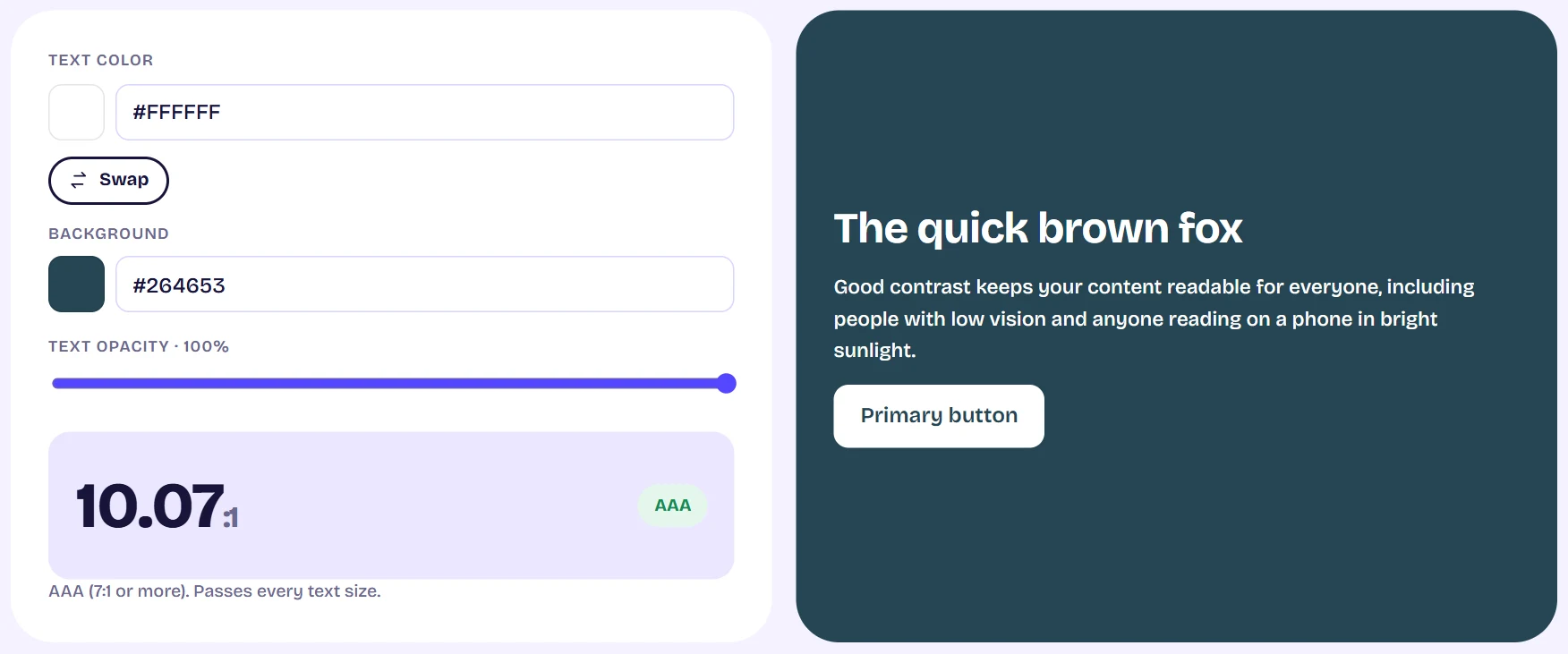
The contrast checker showing a 5.36 to 1 ratio, the suggested fix and a live text preview Use the fix suggestion
If the pair fails AA for normal text, a suggested color appears. Click it to apply the closest text color that passes at full opacity. If no shade of that hue can reach 4.5:1 you are told so, and should change the background or the hue.
Transparent text
Move Text opacity below 100% and the tool blends your text over the background first, then measures that blended color. Transparent text only has a contrast once it sits on something.
Check a whole palette at once
Paste or type your HEX codes into Palette matrix. Rows are the text color, columns the background. Every cell shows the ratio and the best level that pair reaches, using the same numbers as the single checker. Select a cell to inspect it at the top.
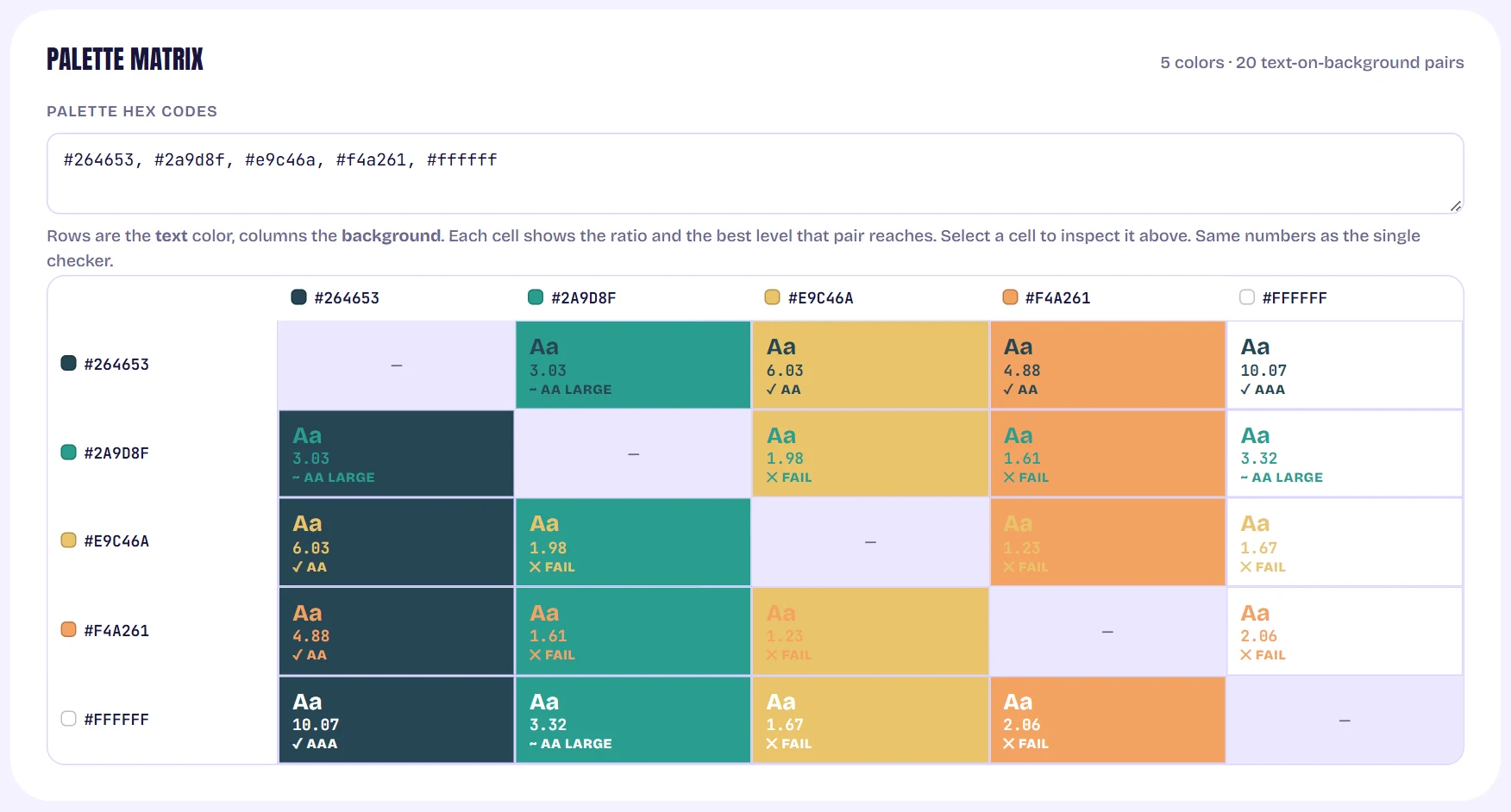
A grid of every palette color as text on every other color, each cell showing a ratio and a level
Tips
- Normal text needs 4.5:1 for AA and 7:1 for AAA. Large text needs 3:1 and 4.5:1. Icons and input borders need 3:1.
- Passing means these pairs meet the numbers. It does not certify that a whole site is accessible.