How to create a Tailwind color scale
Turn a brand color into a 50 to 950 scale for Tailwind v3 or v4.
Open the Tailwind generatorEnter your brand color and a name
Type or pick the Base color and give it a Color name such as brand. The eleven steps appear as a strip; the step closest to your color's lightness is your exact color.
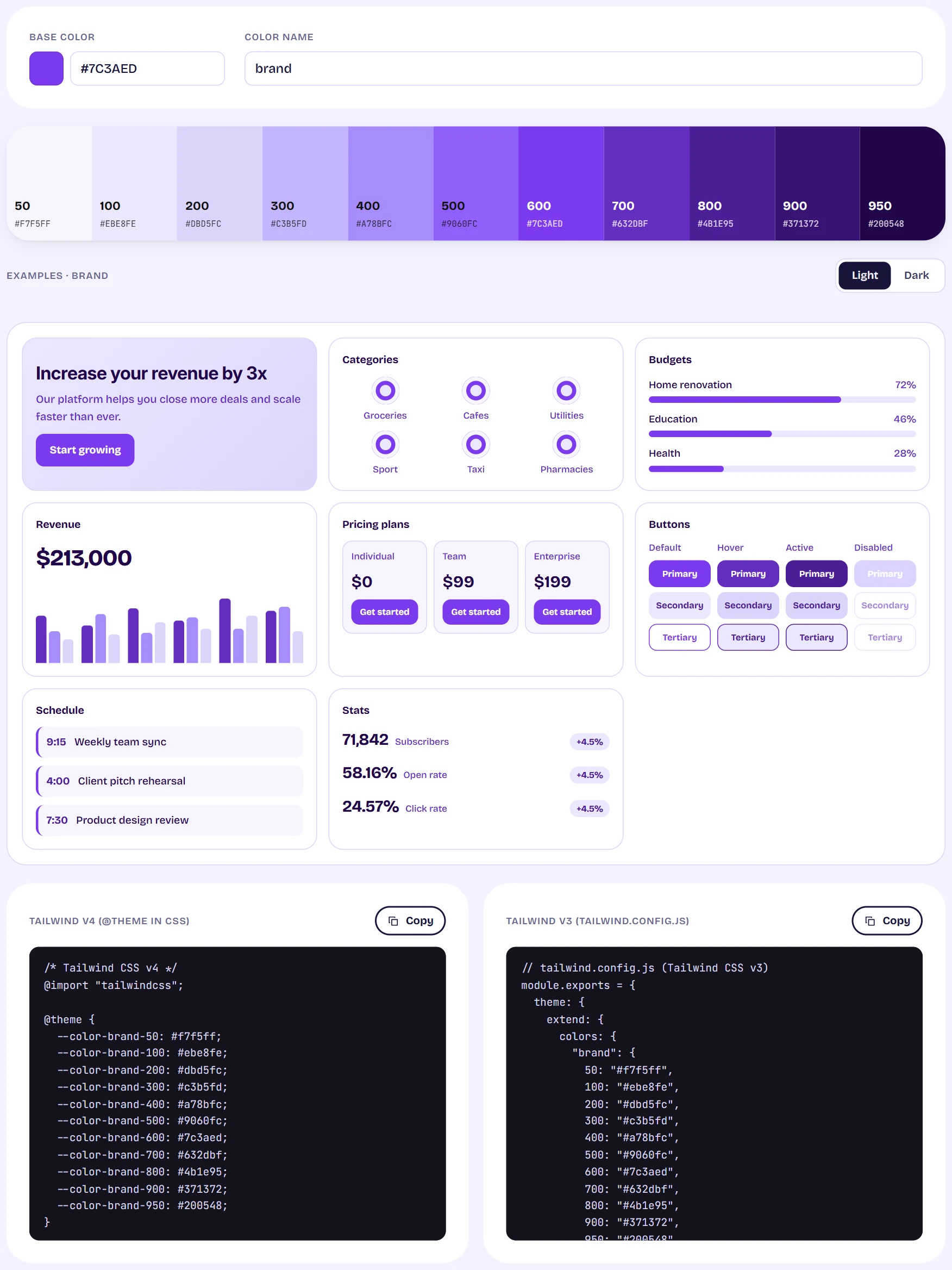
The Tailwind tool with an eleven-step scale and the v4 and v3 code blocks side by side Copy the code for your Tailwind version
For Tailwind v4, copy the @theme block into your main CSS file after the import. For Tailwind v3, copy the colors into the extend section of tailwind.config.js. Both are free.
Use the classes
With the name brand, you can write classes such as bg-brand-500 and text-brand-900 straight away.
Tips
- Want light and dark semantic colors instead? Use the Visualizer's theme export.